Main Points
- Private cloud is worth it for steady, sensitive or latency-bound workloads when you can staff the platform.
- Cost depends on utilization and people, and idle capacity makes it expensive.
- Security improves only if your own configuration and operations are strong.
- Hybrid designs, with a private core and public burst, are the most common outcome.
Is a private cloud worth it? My honest answer is: for some workloads, clearly, and for many companies, not yet. The decision turns on control, cost shape and the people you have to run it. If you want a verdict on your own estate, my private cloud consulting work starts with exactly this comparison.
Below are the pros and cons I weigh with clients, the cases where I say yes and the cases where I say no. I give a verdict at the end, and I explain what would change it.
Pros and Cons at a Glance
| Factor | Pro | Con |
|---|---|---|
| Control | Full say over hardware, location, network and change timing | You carry the responsibility for every layer |
| Cost | Lower cost for steady, highly utilized workloads | Idle capacity costs full price, and upfront spend is high |
| Security and compliance | Isolation and a smaller audit scope | Security depends on your own configuration and staff |
| Performance | Predictable latency and local data processing | Scaling needs hardware lead time |
| Flexibility | Custom hardware and software choices | Slower to scale up, and slower to try new services |
| Skills | Builds internal platform skills | Needs scarce engineers and on-call coverage |
| Vendor risk | Less dependence on a single public provider | New dependence on hardware and platform vendors |
Control and Data Location
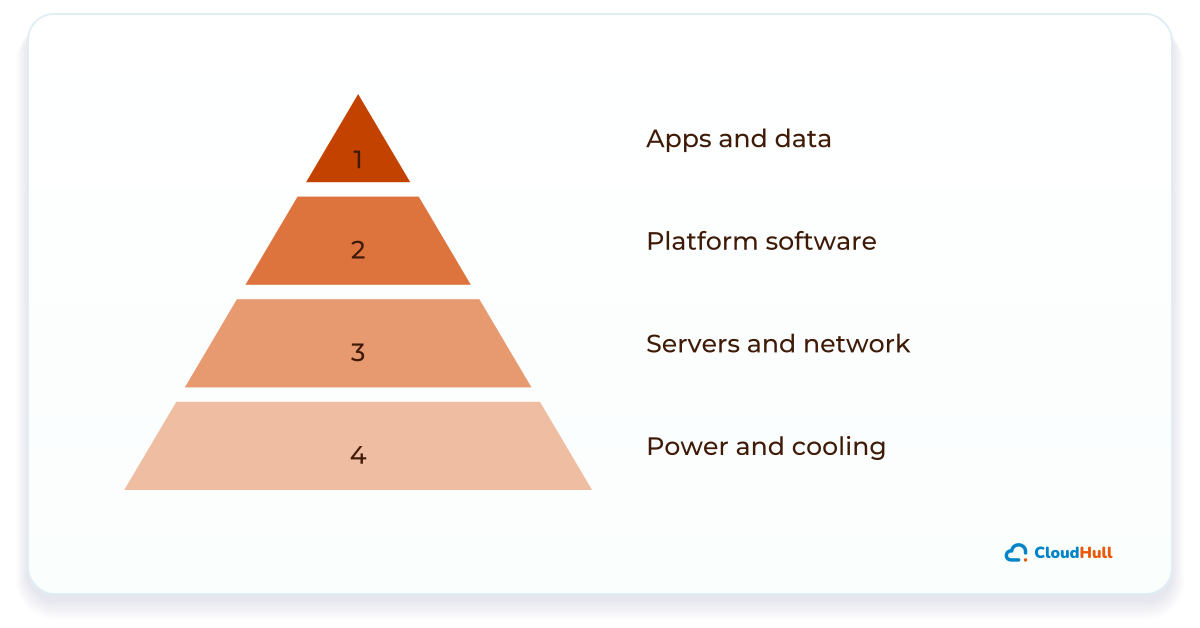
The strongest pro is control. You decide where the data lives, who touches the hardware and when changes happen. For clients in healthcare, finance and the public sector, this answers questions that no public cloud contract fully settles. The private cloud examples I collected show many cases where this was the main reason.
The matching con is responsibility. Every layer is yours, from the power supply to the patch level of the hypervisor. When a controller fails or a vulnerability is announced, nobody else is responsible. If your team cannot take that on, control becomes a burden.
Which Workloads Come Out Ahead
Looking at workloads instead of the whole company gives the clearest answer. The table shows how I rate common types on private capacity, based on my client work.
| Workload | Private cloud fit | Why |
|---|---|---|
| Core databases with steady load | Strong | High utilization, latency-sensitive, often regulated |
| Line-of-business applications | Good | Predictable demand and long lifetimes |
| File and backup storage at scale | Good | Large volumes make per-gigabyte pricing add up |
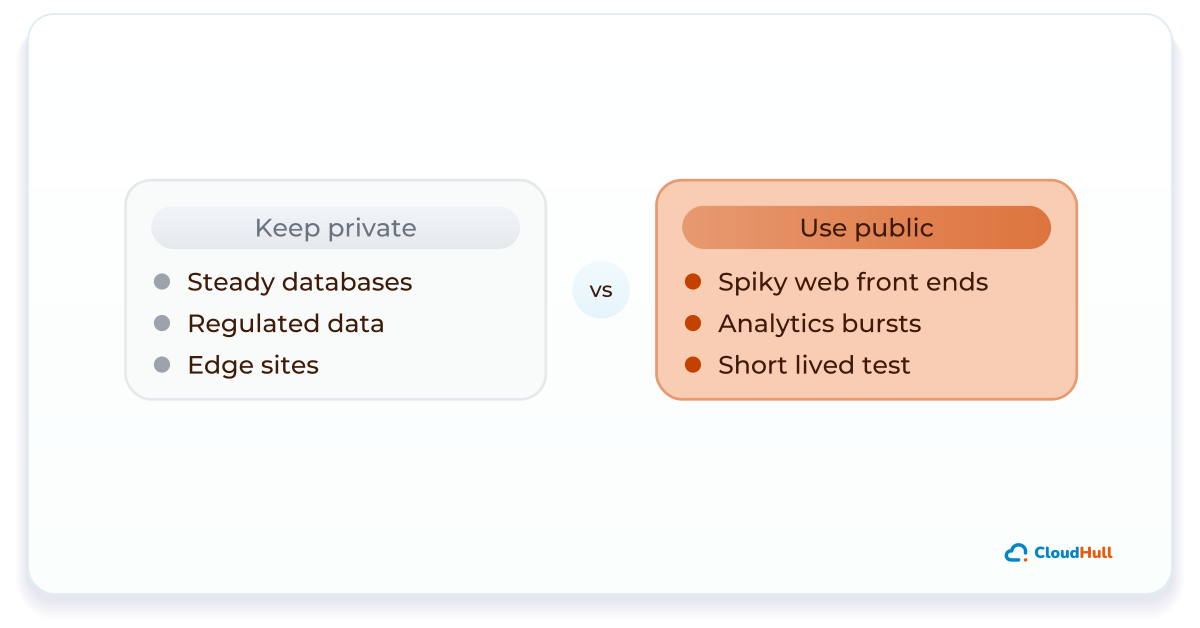
| Customer-facing web front ends | Weak | Traffic swings favor elastic capacity |
| Development and test environments | Mixed | Fine with automation and expiry, poor without them |
| Analytics and machine learning experiments | Weak | Bursty demand and fast-changing tools |
Two things stand out. The strong fits share a flat demand curve, and the weak fits share a spiky one. And in between sits a large group that depends on how well you automate. A test environment on a private platform with automatic expiry is cheap. The same environment with no expiry becomes a graveyard of forgotten machines.
Three Myths I Keep Hearing
The first myth is that private cloud is always cheaper once you are big enough. Size helps, and utilization decides. I have seen large estates at low utilization that cost more per workload than a smaller, fuller one.
The second is that the public cloud is always cheaper because you pay only for what you use. That is true for what you switch off. Many teams leave resources running, and a steady fleet of reserved instances can cost more over several years than owned capacity.
The third is that a private cloud means no vendors. You depend on hardware, platform and support vendors, and the dependence is just less visible. Licensing changes at one large virtualization vendor showed buyers how real that dependence is. Plan an exit route for whichever platform you choose.
Company Size Changes the Answer
Small companies rarely have the team or the scale to benefit from running hardware. For them, the benefit often comes from one hosted environment for a sensitive system. Mid-sized companies get the best case: enough steady workload to fill a cluster and enough staff to run it. Large enterprises tend to run several environments and focus on consistency between them.
That means the same pro can be a con at a different size. Control is a pro for the mid-sized company with a platform team, and a risk for the small one with a single part-time administrator.
Cost: Cheaper for Some, Dearer for Others
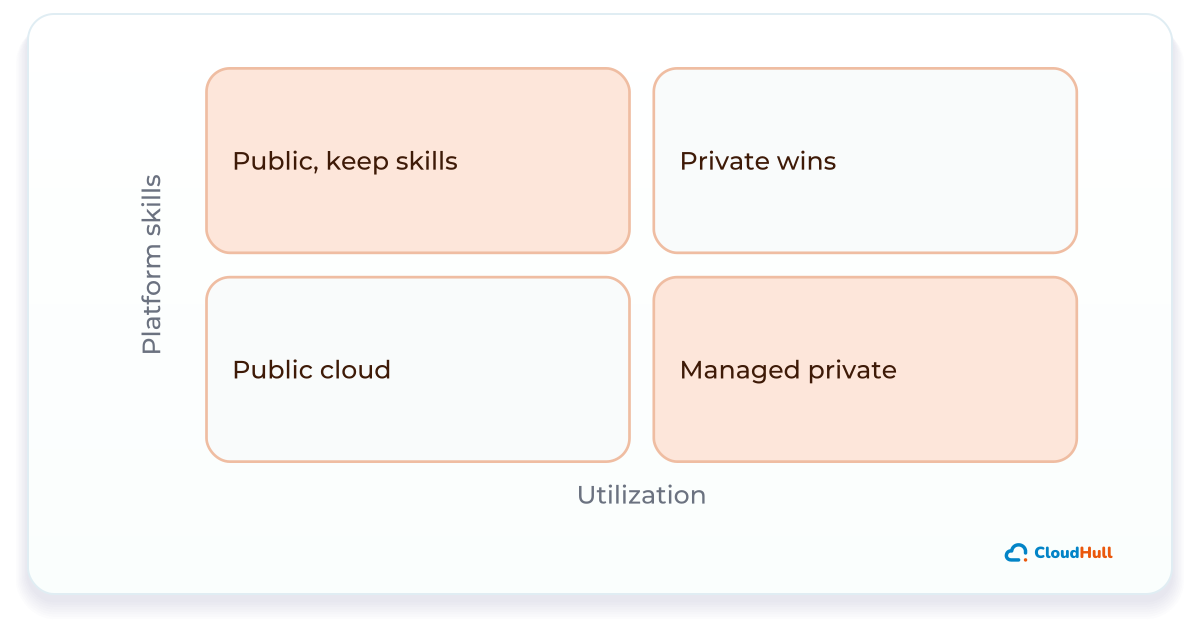
Cost is where the debate gets loud, and where I see the most wishful thinking. A private cloud costs less per unit when it is full and steady. It costs more when it is half empty or when the workload swings with demand. A public cloud costs the reverse: it is cheaper for variable work and pricier for flat work that runs all day.
People are the line most comparisons leave out. A platform team of two or three engineers is a large share of the total for a mid-sized estate. My private cloud cost guide has a worked example, and it shows that people cost more than hardware in most cases.
Security and Compliance
A private cloud can reduce audit scope, because regulated systems sit in a well-defined, isolated environment. That is a real advantage, and I have seen it save weeks of audit work. It does not make you secure by itself. Public cloud providers invest heavily in security and publish certifications, and many breaches I see come from misconfiguration, which can happen anywhere.
Treat security as a design task in both worlds. Use strong access control, logging, patching and backup that you have tested. For regulated data, check with your advisers which controls your rules require.
Speed and Flexibility
The public cloud wins on speed to try something new. You can start a managed database or a machine learning service in minutes. A private cloud needs hardware, and hardware has lead times. Private platforms have narrowed the gap with self-service and automation, but the catalog of services is smaller.
That is why hybrid designs are common. Steady and sensitive workloads run privately, and experimental or bursty work runs in the public cloud. The cost is complexity, since you now manage two environments and the links between them.
Skills and Operations
A private cloud needs people who can run it. That means platform engineers, someone for networking and storage, and on-call coverage. Skills for some platforms are easier to hire than for others, and licensing changes can alter that market quickly. Before you commit, compare the platforms for skills, not only for features, using my private cloud platforms ranking.
If you do not have the skills, a hosted or managed private cloud shifts the operations to a provider. You still own your workloads, access and backups, and the provider owns the hardware layer. Smaller teams often land here, as I explain in private cloud for small business.
Exit Costs Nobody Likes to Discuss
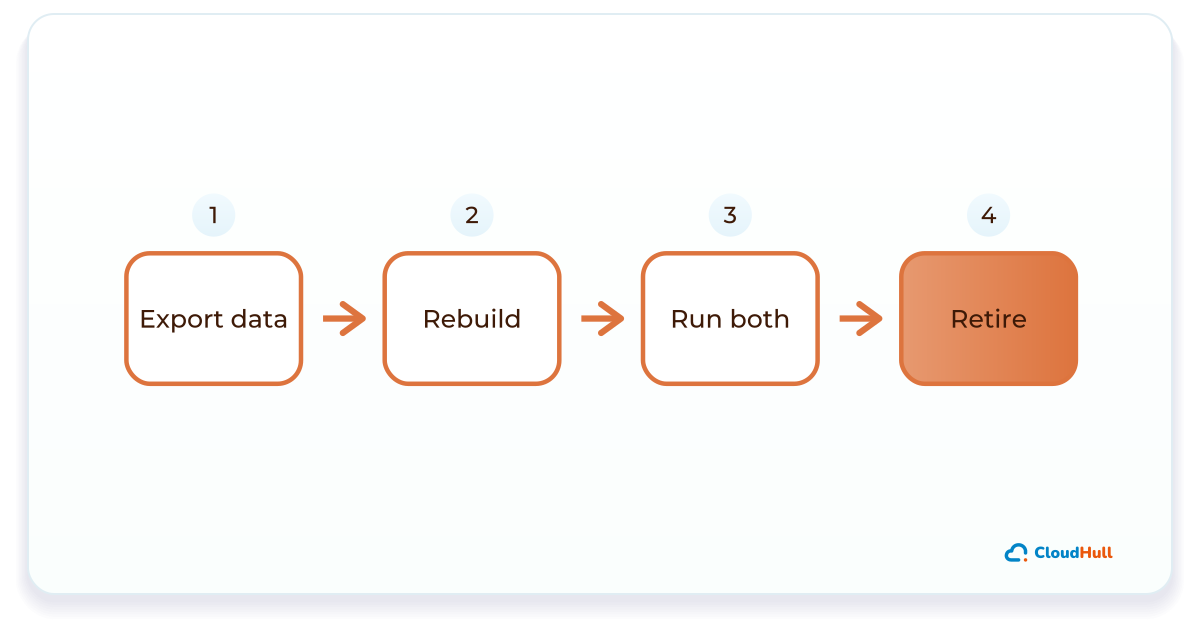
Every platform choice has an exit cost, and this is where the pros and cons of private cloud look different from the public cloud. Leaving a public cloud means moving data out, and egress fees and re-architecture are the usual price. Leaving a private platform means migrating virtual machines to another hypervisor or provider, retraining staff and often buying new hardware.
I ask clients to write the exit plan before they sign. How would we leave in two years, who would do it and what would it cost? Standard formats, open tooling and documented infrastructure code lower the exit cost on either side. A platform that you can leave is one that treats you better at renewal time, which is a quiet but real benefit.
When I Say Yes
I recommend a private cloud when at least two of these are true: a rule or contract restricts data location, workloads are large and steady, latency to a public region is a problem, there is a strong in-house platform team, or the company wants protection from price changes by a single provider.
Yes also tends to hold for edge sites, such as plants and branches, where local processing keeps working when the internet link fails. Combine the answer with a phased plan. The private cloud implementation steps show how to build it with checks along the way.
When I Say No, or Not Yet
I say no when workloads are small or spiky, when nobody can own operations, when the main motivation is a vague belief that it will be cheaper, or when a contract or regulation does not actually require it. In those cases, improving cost tracking, access control and backups in the current cloud gives a better return.
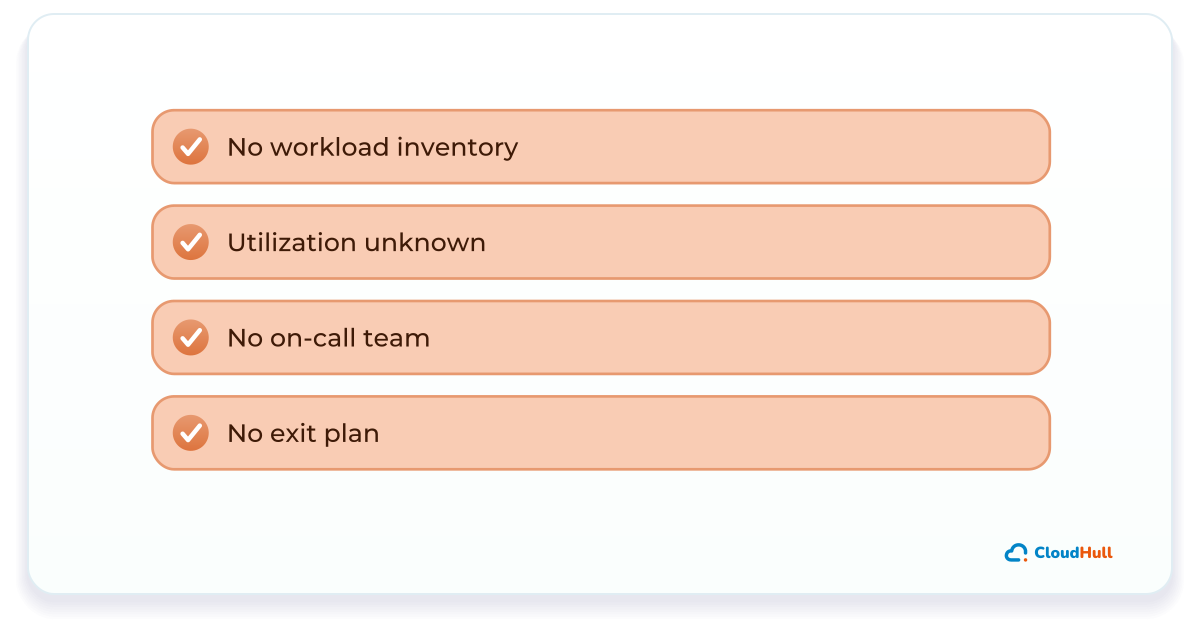
I also say not yet when the inventory and utilization numbers do not exist. A decision without numbers is a bet.
Why Hybrid Is the Usual Answer
When I finish an assessment, the result is rarely all private or all public. It is a split: a core of steady and sensitive systems on private capacity, and elastic, experimental or customer-facing work in the public cloud. The split should follow the workload data you measured, and you should revisit it every year, because workloads and prices both move.
The practical test for a hybrid design is the link between the two sides. Check bandwidth, latency, data transfer fees and identity integration before you commit. A design that looks clean on a slide can be expensive and slow if two chatty systems end up on opposite sides of that link.
My Verdict and How to Test It for Your Case
Private cloud is worth it for steady, sensitive or latency-bound workloads when you have the team to run it, and not worth it as a default for everything. The best outcome I see is a deliberate mix.
To test the verdict on your own estate, work through these checks:
- Measure utilization for each large workload across a full business cycle.
- Write down which workloads have location, audit or latency requirements.
- Price the people needed to run the platform, not just the hardware.
- Compare five-year costs of private, public and hybrid for the top five workloads.
If the numbers favor private for two or three workloads, start there, and keep the rest where they are.
Questions About Private Cloud Pros and Cons
What Are the Main Advantages of a Private Cloud?
Control over data location and hardware, predictable performance, lower cost for steady and highly utilized workloads, and a smaller audit scope for regulated systems.
What Are the Main Disadvantages?
Higher upfront cost, idle capacity risk, the need for skilled staff and slower scaling than the public cloud. Security also depends on your own configuration.
Is a Private Cloud More Secure than a Public Cloud?
Not by default. Isolation helps, but security depends on how well you configure access, patching, logging and backup. Public providers also invest heavily in security.
Is Private Cloud Cheaper than Public Cloud?
For steady, high-utilization workloads it can be. For variable workloads the public cloud is usually cheaper. Include people and backup in your comparison.
Is Private Cloud Worth It for a Small Business?
Usually only for one or two sensitive or steady systems, and often as a hosted service. Most small businesses are better served by a well-configured public cloud.
What Is a Hybrid Cloud, and Is It Better?
A hybrid cloud combines private and public environments. It lets steady and sensitive workloads stay private while bursty work uses the public cloud, at the cost of more complexity.
When Should I Avoid a Private Cloud?
Avoid it when workloads are small or spiky, when nobody can own operations or when no rule or cost case requires it. Fix cloud waste before you decide.
Please note: this guide is general information and not legal, financial or tax advice. Numbers and examples are typical-project estimates; confirm current details with your providers and advisers.
Did this article help you?
Thanks, noted.
Garrett Linville
Garrett leads the Cloud Hull editorial team and works with the consultants to turn real client projects into practical guides on cloud migration, DevOps, security and cost control. Each article is edited together with the consultant who did the work, and every price and limit is checked against current provider documentation. He is based in the USA and works remotely.